What Is a Digital Elevation Model and How Do You Use One?
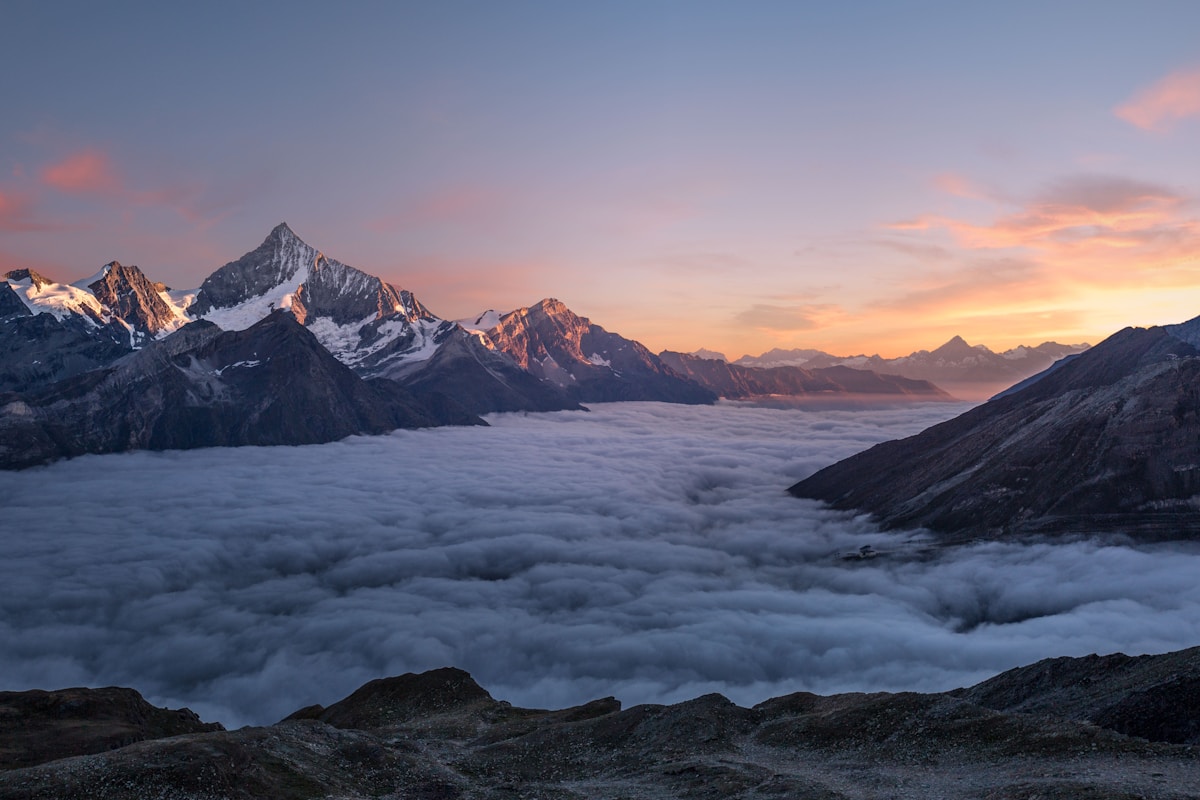
- Primary Signal: What Is a Digital Elevation Model and How Do You Use One?
- Overview: A digital elevation model, or DEM, is a raster grid of ground heights. Learn how DEMs are made, what resolution means for slope and watershed work, and how to try one in QGIS....
- Verification: Analyzed and compiled by FreeSky GeoData editorial monitoring desk.
If you have ever wondered how a mapping app shades mountains, draws a watershed, or estimates whether a road climbs steeply, the answer usually starts with a digital elevation model. A DEM is a raster dataset in which every cell holds a single height value for that patch of ground. Stack those cells together and you get a continuous surface that software can turn into hillshades, contour lines, slope maps, and flow paths. DEMs sound abstract until you use one, and then they become one of the most practical datasets in GIS, useful for hiking, farming, flood planning, and site selection alike.
DEMs are built from several kinds of measurement. Airborne laser scanning, or lidar, fires laser pulses at the ground and records return times to measure height very precisely, producing fine detail but only where flights have been flown. Satellite radar missions, such as the Shuttle Radar Topography Mission, measured heights for most of the planet in a single campaign, giving global coverage at coarser resolution. Stereo satellite imagery can also yield heights by comparing the same ground from two angles. Each method has its own errors: radar struggles in steep terrain and dense forest, lidar is expensive to fly over large areas, and older global DEMs contain gaps that later versions filled by blending sources. Knowing the source helps you judge whether a DEM is fit for your area.
DEM resolution is the size of each height cell, and it decides which landforms you can see. A 30-metre DEM can show a valley, a ridge, and a broad slope, but it will smooth over a small gully, a terrace, or a narrow road embankment. A 1- or 5-metre lidar DEM can show those features clearly, which matters for drainage design or landslide work but creates much larger files. Vertical accuracy matters as much as cell size: a DEM whose heights are off by several metres can misplace a watershed boundary or exaggerate a slope. For a first project, start with a well-documented global or national DEM, read its stated accuracy, and test it against a known hill or valley before trusting derived products.
The most common derivatives are hillshade, slope, aspect, and contours. Hillshade simulates sunlight on the surface and makes terrain readable at a glance. Slope measures steepness in degrees or percent and is essential for erosion, access, and building suitability checks. Aspect records the direction a slope faces, which affects sunlight, snow melt, and crop microclimate. From those, hydrology tools can trace flow direction and accumulation to outline watersheds and stream networks, though raw DEMs usually need small depressions filled first so that modelled water does not get trapped in pits. Each derivative amplifies small errors in the source, so always sanity-check results against a base map.
Download a DEM for a small, hilly area you know, load it as a raster, and style it with a hillshade overlaid at partial transparency on an elevation colour ramp. Then run the slope tool and compare steep cells with roads and paths you recognise. If the steepest cells cluster where you expect cliffs or cuttings, the DEM is behaving well. If flat fields show wild slope values, check for data spikes or a wrong unit setting. Keep the workflow small and familiar for the first run: one DEM, one hillshade, one slope map, and notes on what surprised you. That loop builds the judgement you need before using DEMs for flood or planning decisions.
A DEM is simply heights on a grid, but from that grid comes most of what makes a map feel three-dimensional. Learn its source and resolution, derive one product at a time, and check each result against ground you know. That discipline turns an abstract raster into a reliable planning tool.
📖 Continue Reading the Full Story
Continue reading this article on FreeSky GeoData.
⚡ Access Full Content NowMore from FreeSky GeoData


 ⚡ CyberTech 568
10 Free AI Tools That Save Freelancers 10 Hours a Week
Ten genuinely free AI tools for writing, design, and admin — build them into your workflow and reclaim roughly...
 🤖 WinBar AI
How to Spot Sharp Money Movement in Betting Odds Before the Line Settles
Sharp money is professional cash moving odds before the public catches on. Here is how to read reverse line mo...
 ☁️ FreeSky Cloud
VPS Backup Automation Guide: Set It Once and Stop Worrying
A practical, step-by-step guide to vps-backup-automation-guide, with the common mistakes to avoid and a reusab...
🛰️ FreeSky Aerial
How to Carry Medications on International Flights: 2026 Rules
Flying with medication in 2026? This guide covers carry-on rules, the 100 ml exemption for liquid medicines, l...