How to Process Drone Photos With WebODM: A Beginner's Mapping Workflow
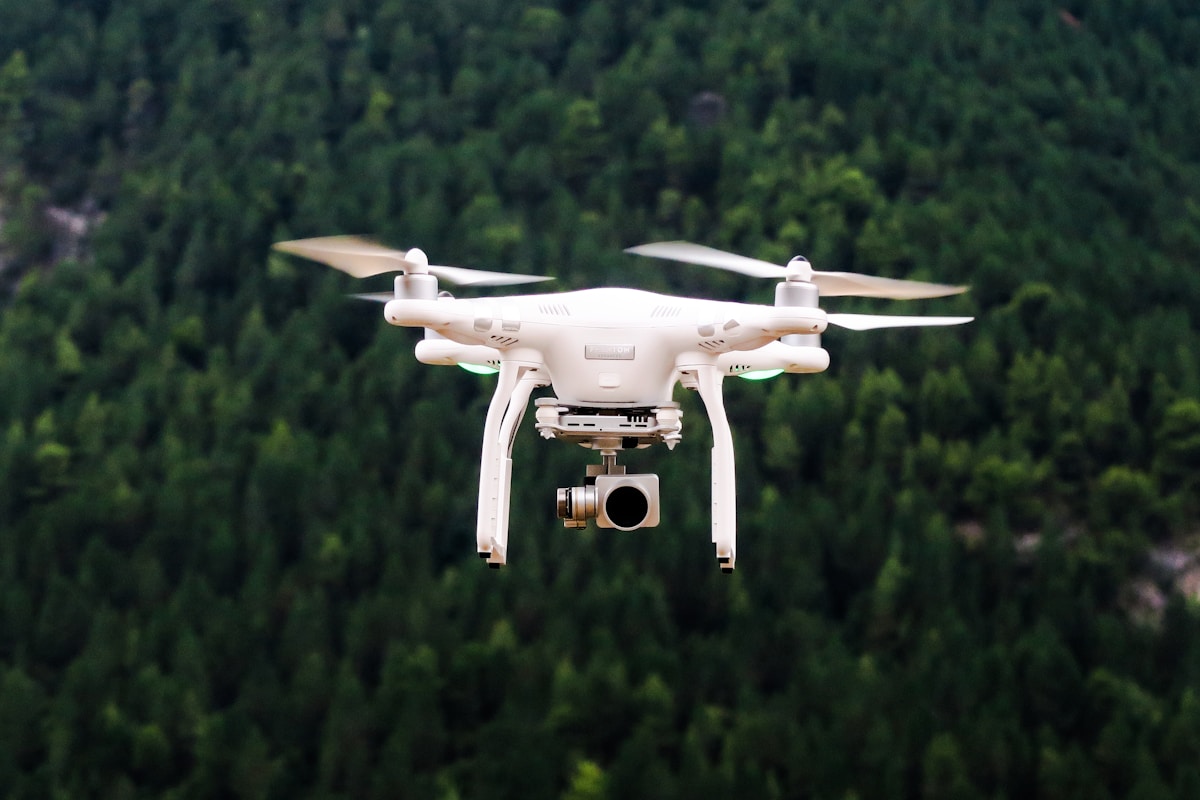
- Primary Signal: How to Process Drone Photos With WebODM: A Beginner's Mapping Workflow
- Overview: WebODM turns drone photos into free orthophotos and 3D models. Learn the flight settings that make it work, how to run your first task, and how to check your results....
- Verification: Analyzed and compiled by FreeSky GeoData editorial monitoring desk.
WebODM turns ordinary drone photos into maps, 3D models, and elevation data — for free. It is the most accessible entry point into drone photogrammetry, but beginners often stall on setup and settings.
WebODM is a web interface for OpenDroneMap, an open-source photogrammetry engine. You feed it overlapping aerial photos, and it builds a point cloud, a digital surface model, and a georeferenced orthophoto you can load into QGIS.
Good outputs start with good flights. Plan a grid flight with at least 75 percent front overlap and 60 percent side overlap. Overlap is what lets the software match features between images, and skimping on it is the most common cause of failed reconstructions.
Running your first task is straightforward: create a project, upload your photos, and start with the default settings. Processing time depends on photo count — a few dozen photos may take minutes, while several hundred can take hours.
Check your results before you trust them. Look for warping or blurry patches, compare against a known basemap, and use ground control points if accuracy matters — they can take you from metre-level to centimetre-level accuracy.
Once you have a clean orthophoto and surface model, load them into QGIS to measure areas, trace features, calculate vegetation indices, or derive contours and slope from the elevation model.
If you need survey-grade accuracy, learn about ground control points and RTK drones. A consumer drone records its position from standard GPS, which is accurate to a few metres, and that error flows into your orthophoto and elevation model. Ground control points are markers placed on the ground whose coordinates you measure with a high-precision GPS receiver; WebODM uses them to correct the whole model, bringing accuracy down to centimetres. Alternatively, an RTK-equipped drone corrects its own position in flight using a base station or a correction service, achieving similar accuracy without ground markers. Either approach adds cost and preparation, but for construction, surveying, or any measurement that must stand up to scrutiny, it is the difference between a nice picture and a professional deliverable.
📖 Continue Reading the Full Story
Continue reading this article on FreeSky GeoData.
⚡ Access Full Content NowMore from FreeSky GeoData


 🔭 FreeSky Cosmos
How to Find Planets in the Night Sky: A Beginner's Guide Without a Telescope
You can spot Venus, Jupiter, Mars, and Saturn with the naked eye. The trick is knowing they shine steadily, mo...
 🌍 FreeSky Remote
The Best Freelance Rate Calculator Methods for Beginners (2026)
New freelancers almost always undercharge. Here are the rate-setting methods that actually work for beginners ...
 ⚡ CyberTech 568
10 Free AI Tools That Save Freelancers 10 Hours a Week
Ten genuinely free AI tools for writing, design, and admin — build them into your workflow and reclaim roughly...
 🤖 WinBar AI
How to Spot Sharp Money Movement in Betting Odds Before the Line Settles
Sharp money is professional cash moving odds before the public catches on. Here is how to read reverse line mo...